When you launch Aicrest for the first time, the app warms up by downloading a local language model to your device. Aicrest starts with the Small model so the initial setup stays as quick and lightweight as possible, letting you try the app without a long wait.
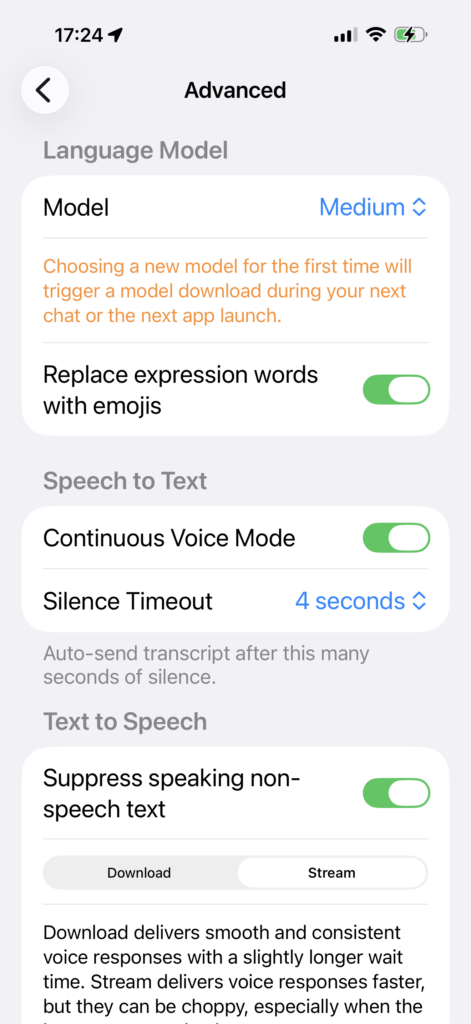
Small is great for getting started, but if your device supports a larger model, upgrading is usually worth it. Bigger models tend to give your AI companion more consistent, more natural responses, which matters a lot in an app built around ongoing conversation. After you confirm that Aicrest runs well on your device, go to Settings > Advanced > Language Model and choose a larger option if one is available. On many supported devices, that means Medium. On higher-end devices, you may see even larger options.
When you switch to a new model for the first time, Aicrest downloads it the next time you start a chat or relaunch the app. Because larger models can be a substantial download, it is best to do this on Wi‑Fi. During warm-up, the app shows progress while it downloads and prepares the model, so this is a good moment to relax, watch your companion’s avatar in the background, and let Aicrest finish setting everything up. The wait is longer once, but the improvement in conversation quality is usually worth it.